RaceNight user guide
Start here. This page gets you signed in, set up and on the right plan. Everything else has its own page, listed below.
Where to find things
| Go to | What it covers |
|---|---|
| Step-by-step tutorials | Short walkthroughs with a screen for every tap. The best first stop if you just installed the app. |
| Setups and sessions | Your setup list, search and filters, making a setup, the setup sheet and its sessions. |
| Fields, recap and the full sheet | Every kind of field, the pit tools, Recap and finishing the night, the full sheet, baselines and template updates. |
| AI tools | The AI crew chief, AI Assist, AI buttons in a sheet, Snap & Fill photos, and what to do when the AI can't answer. |
| Cars, tracks, tags and templates | Setting up the cars and tracks you race, sorting setups with tags, class templates and Best Practices. |
| Community setups | Browsing setups other racers share, sharing your own, and managing what you've shared. |
| Account, plans and maintenance | Profile, plans and purchases, maintenance and RacePrep, Team & Crew, signing out and deleting your account. |
| Offline, backup and FAQ | What works with no signal, how backup works, what each icon means, and common questions. |
| Help center | Quick answers and how to reach us. |
New to a racing term like stagger, wedge or keystock? Look it up in the racing glossary.
Read this first
- Your setups live on your phone. RaceNight backs them up only when you sign out. If you lose the phone without signing out, everything since your last sign-out is gone.
- Use one phone at a time. Two phones signed in to the same account overwrite each other's backups, so sign out of the old phone before you sign in on a new one.
- Signing in on a new phone restores your last backup and replaces anything already on that phone. Sign in before you start entering setups.
- Some taps have no undo. Deleting a track happens at once with no warning, and deleting a shared setup listing is permanent. Deleting a car asks first, but it can't be undone either.
- Change your profile when you have a signal. An edit made with no signal is lost without a message.
More detail: Offline, backup and FAQ.
Getting started
Welcome to RaceNight
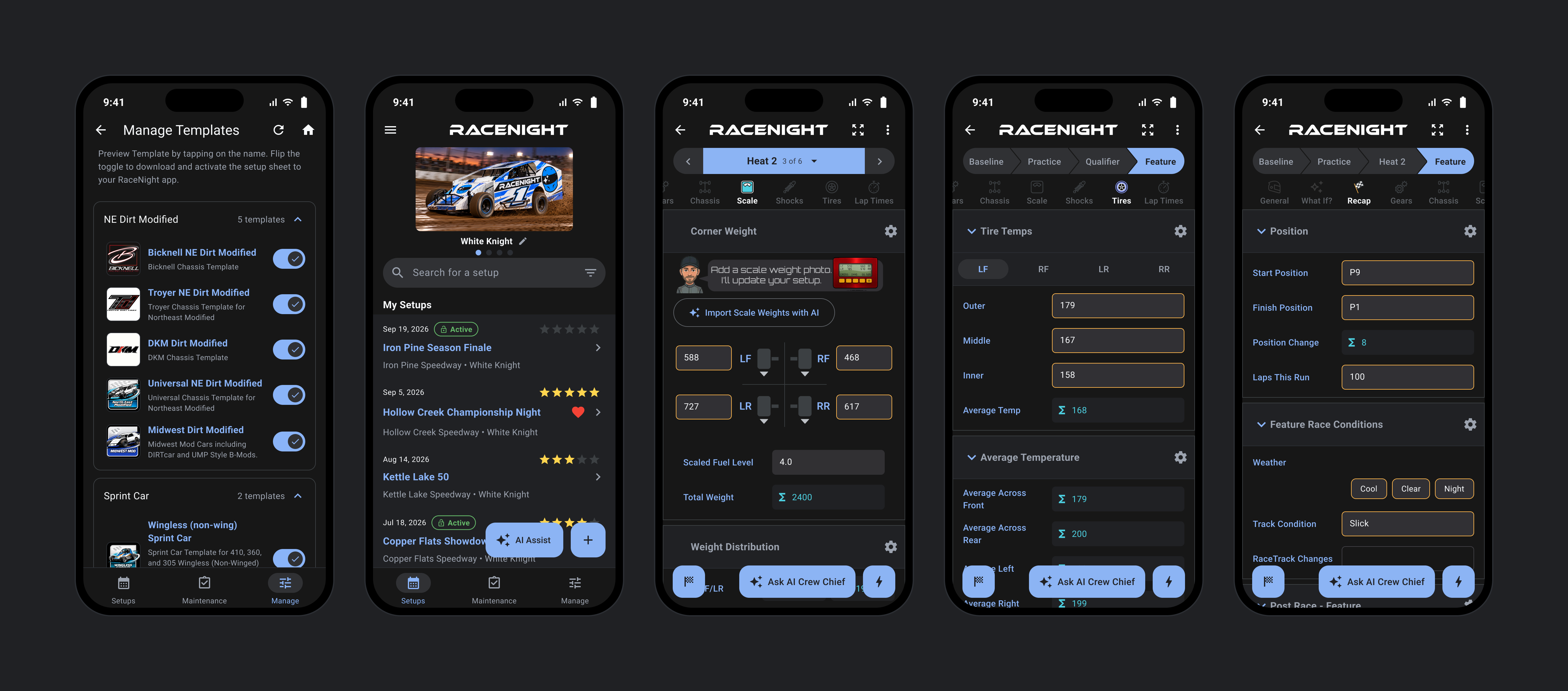
Where in the app: Setups tab, the first screen after you sign in
RaceNight is a digital setup logbook, pit calculation suite, and AI crew chief for your race car, built around the class templates RaceYear supplies.
What the plan tags mean
- [RaceNight Pro]: Needs RaceNight Pro or the free trial. On the RaceNight AI plan, tapping a Pro feature opens the upgrade screen.
- [RaceNight AI]: Also works on the RaceNight AI plan. The AI tools inside a setup are tagged [RaceNight Pro], because the AI plan can't open setups.
- No tag: Works on every plan.
What the app does
- Setup Sheets [RaceNight Pro]: Keeps a digital setup sheet for every night at the track.
- Official Class Templates [RaceNight Pro]: Builds each sheet from an official class template supplied by RaceYear, so the fields and geometry match your exact division.
- Local Storage & Offline First: Stores your sheets on the device using a local database. Templates and your account sync from the server, but all numbers you record live on the phone and work with zero signal.
- Integrated RacePrep Maintenance [RaceNight Pro]: The RacePrep maintenance pages, inside RaceNight: part lap counts, shop to-dos, bolt checks and parts on hand.
What a setup sheet holds
The template decides the categories on the sheet, the panels inside them and the fields you fill in. The Universal NE Dirt Modified template carries nine: General, What If?, Recap, Gears, Chassis, Scale, Shocks, Tires and Lap Times. Inside them sit the things you actually measure, such as ride height and corner weights under Scale, coilover and spring smash data for each corner under Shocks, and stagger and tire temperatures under Tires.
Every sheet starts with four sessions, usually Baseline, Practice, Qualifier and Feature, or Baseline, Round 1, Round 2 and Feature. What you type is stored against the session you have picked, so one sheet shows how the car changed across the night, with changed values marked in color. Need a heat or a B Main? Open the 3-dot menu, tap Edit sessions and switch on more of the template's sessions, up to 12 per sheet.
Dark theme
The app follows your phone's light or dark setting at first. To change it, open the menu, tap your name, then use the Dark Mode switch under App Theme.
It works with no signal
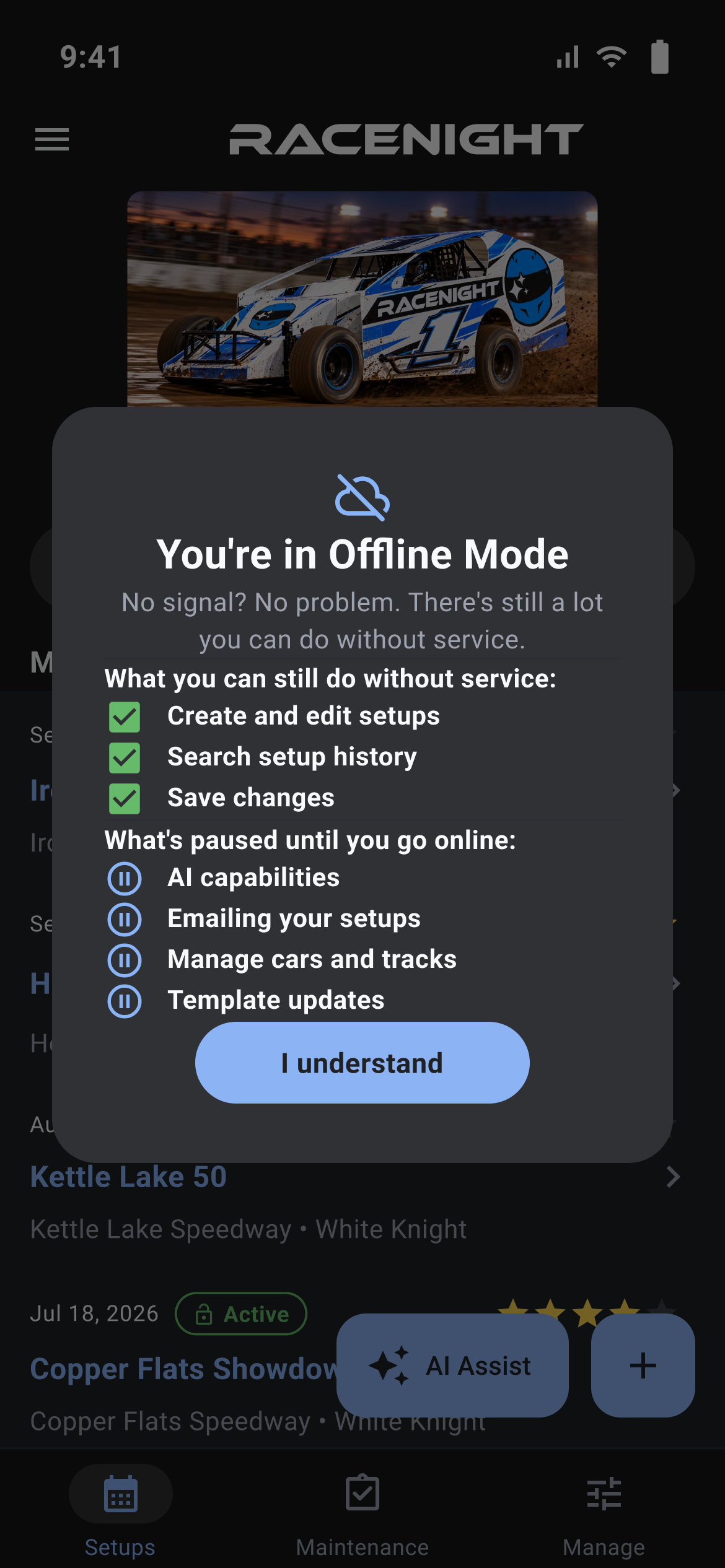
When the app cannot reach the server it shows a panel titled "You're in Offline Mode", listing what still works: "Create and edit setups", "Search setup history" and "Save changes". Waiting on a signal are "AI capabilities", "Emailing your setups", "Manage cars and tracks" and "Template updates". Tap I understand to carry on.
What each plan includes
RaceNight AI and RaceNight Pro open different parts of the app. See Subscriptions and purchases.
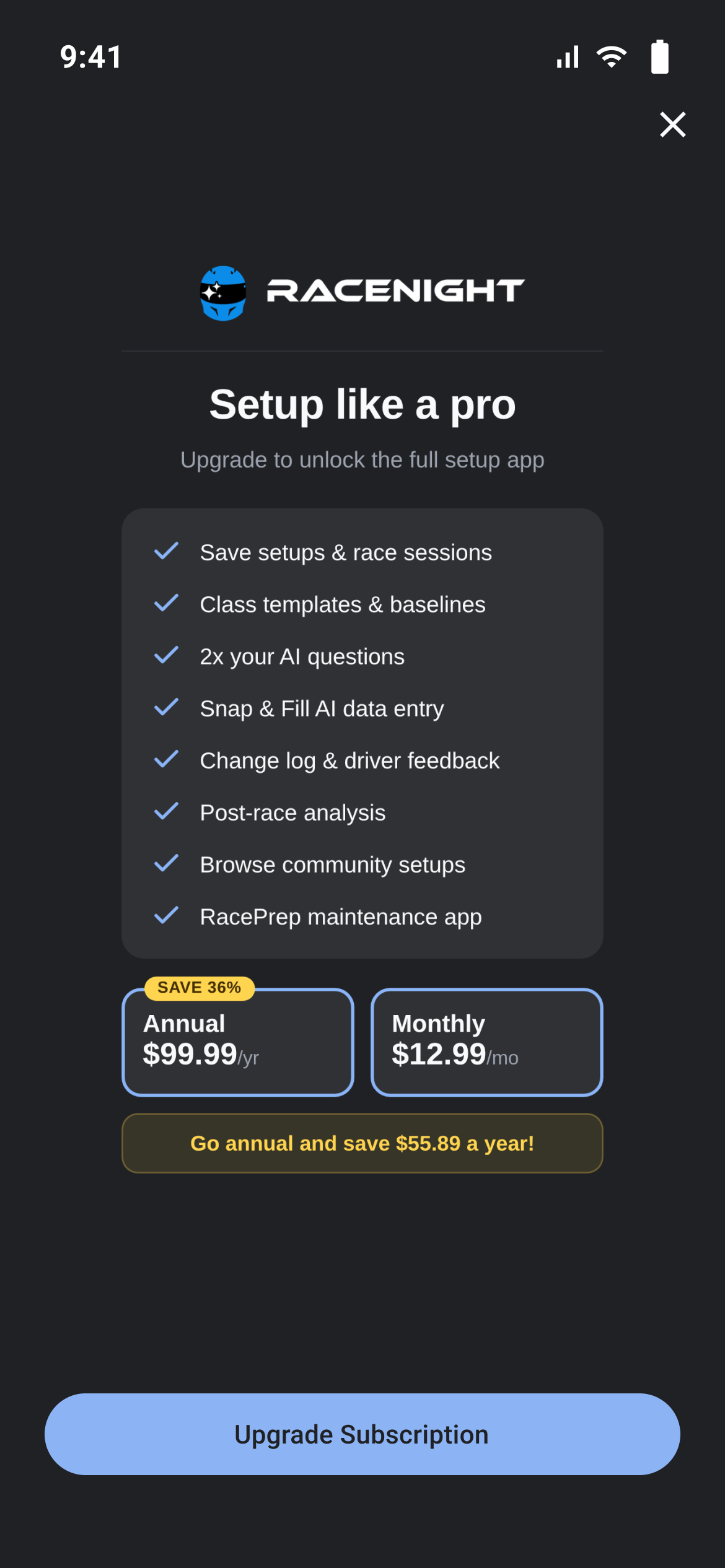
Create an account and sign in
Where in the app: App start → Get Started with RaceNight
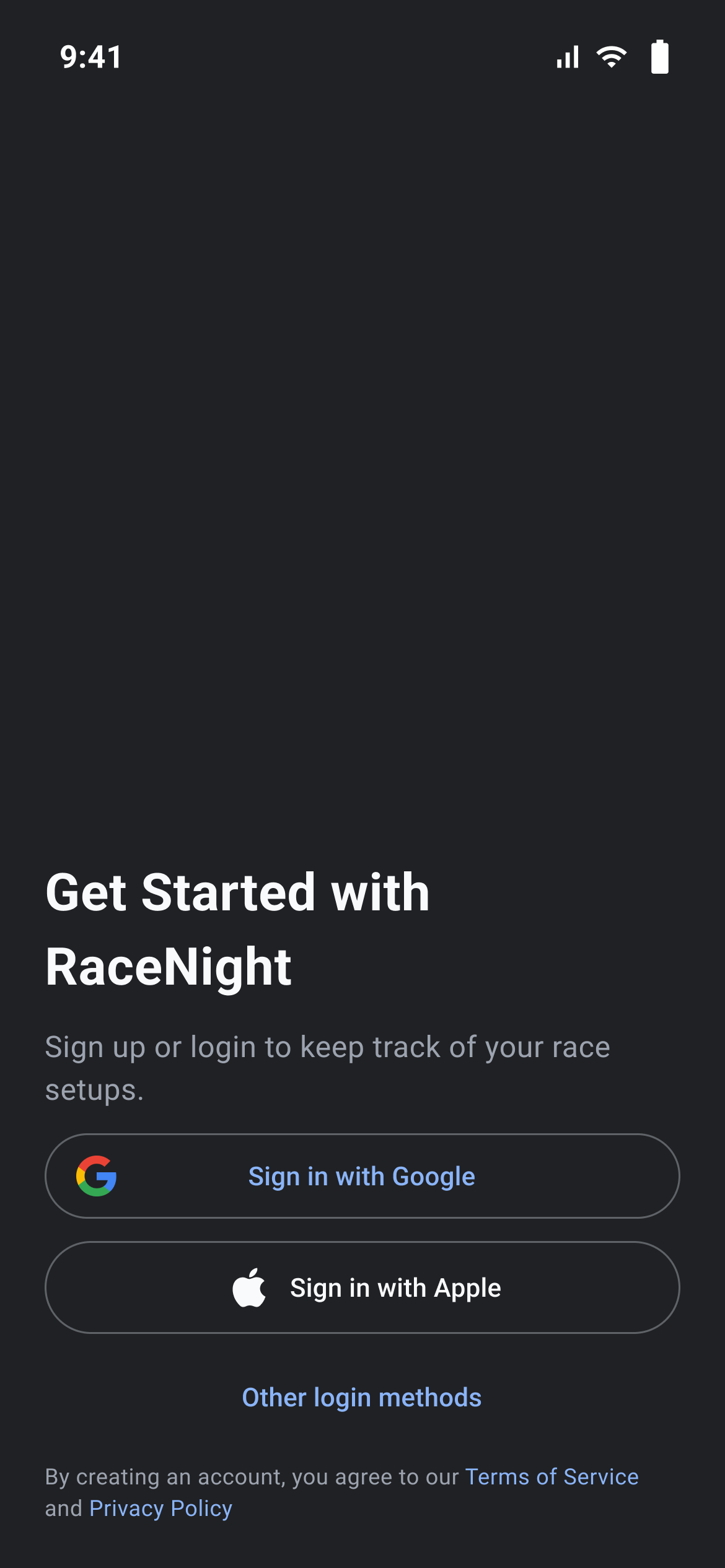
This screen is where you make a RaceNight account or sign back into one you already have.
Choose how to sign in
The screen shows Sign in with Google and, on iPhone, iPad and Mac, Sign in with Apple. Tap Other login methods for Sign in with email and, under an OR divider, Register with Email. Terms of Service and Privacy Policy at the bottom open in your browser.
Register with email
- Tap Other login methods, then Register with Email.
- Fill in Email. A bad address gives "Please enter a valid Email address".
- Fill in Password. Under 6 characters gives "Minimum password length is 6", empty gives "Please Enter Password".
- Invite code is optional: "Enter your invite code or leave it blank."
- Check "I have read and agree to the Terms and Conditions", or you get "You need to accept the terms".
- Tap Create Account.
There is no name box and no confirm-password box. Your display name starts as the part of your email before the @ and can be changed on step 1 of the setup wizard. If the account already exists you get a Registration failed panel with a Login with email button, which clears the boxes and switches to the sign-in form.
Sign in with email
Sign in with email opens the sign-in form. Enter E-mail and Password, then tap Login. The eye icon shows the password, a wrong address or password brings up a Login failed panel with an OK button, and Other login methods goes back to the button list. Nothing spins while the app is checking, so give it a moment instead of tapping Login again.
Google and Apple
Tap the button and pick your account in the panel your phone puts up. Backing out returns you to the button list with no message, which is normal. Failures show a Google Sign In failed, Google Sign In Error, Apple Sign In failed or Apple Sign In Error panel with an OK button. On a device that cannot do Apple sign-in, a Not Available panel reads "Sign in with Apple is not available on this device."
Forgot your password
Tap Forgot Password? on the sign-in form, type your account address, then tap Request password reset. A "Password reset has been sent" panel appears and you land back on the button list, where Sign in with email brings the form back. Finish the reset from the email you get.
Confirm your email
After you sign in, RaceNight asks you to confirm your email. Tap the link in the email we sent, then tap the I've Verified button. Resend Email sends it again. Wrong email? Change it lets you fix the address, and Sign Out takes you back to the sign-in screen.
Where you land
Confirm your email, then the setup wizard if you have not been through it, then the Setups tab.
Set up your car and class the first time
Where in the app: After your first sign-in → Tell me about yourself
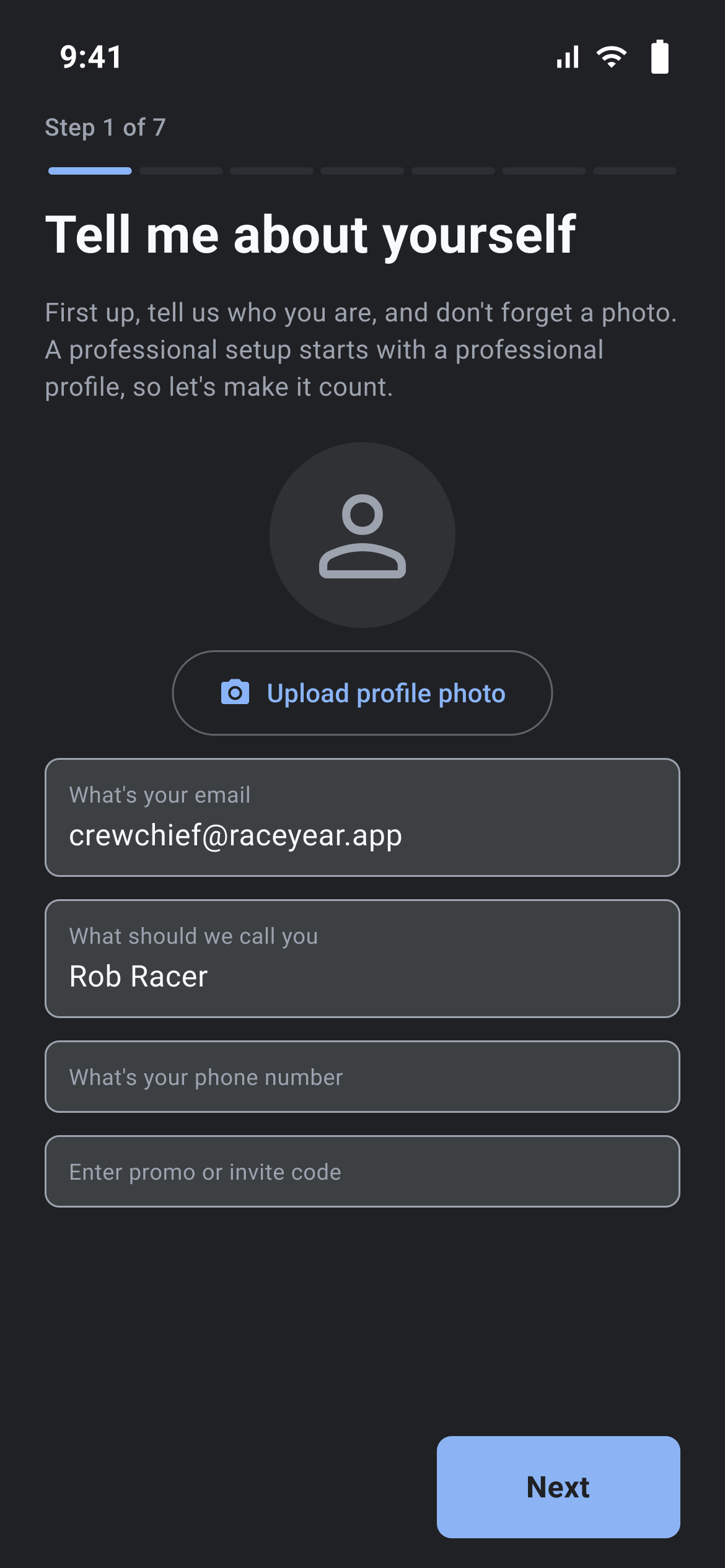
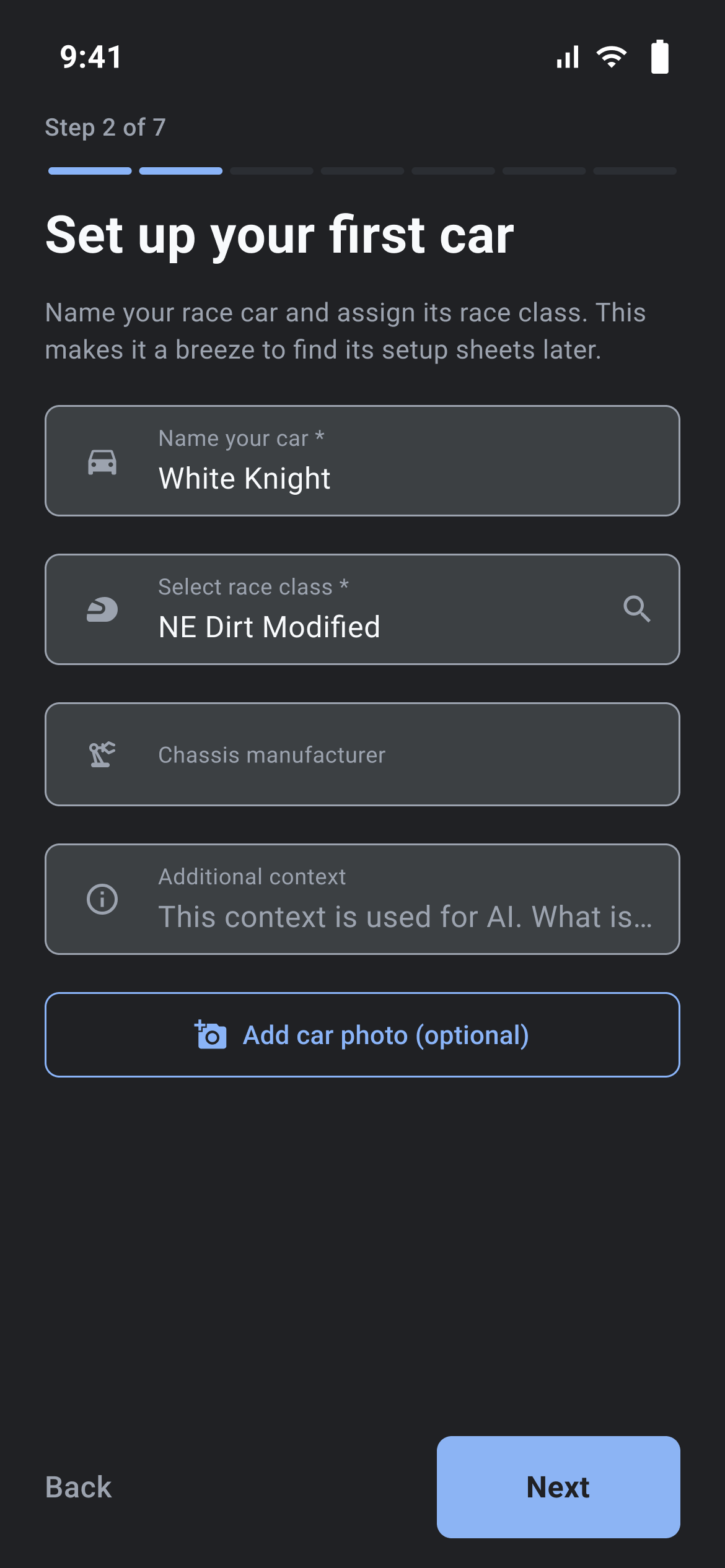
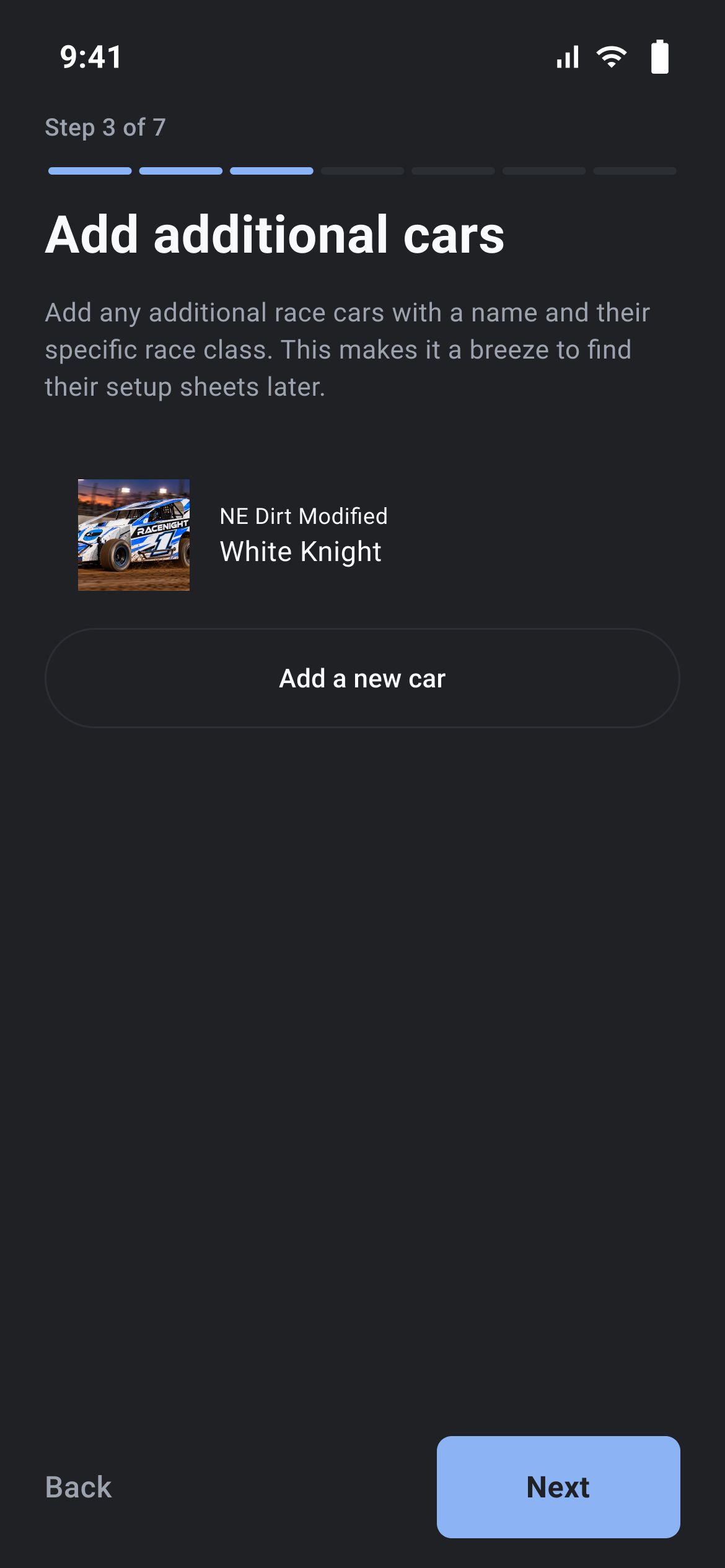
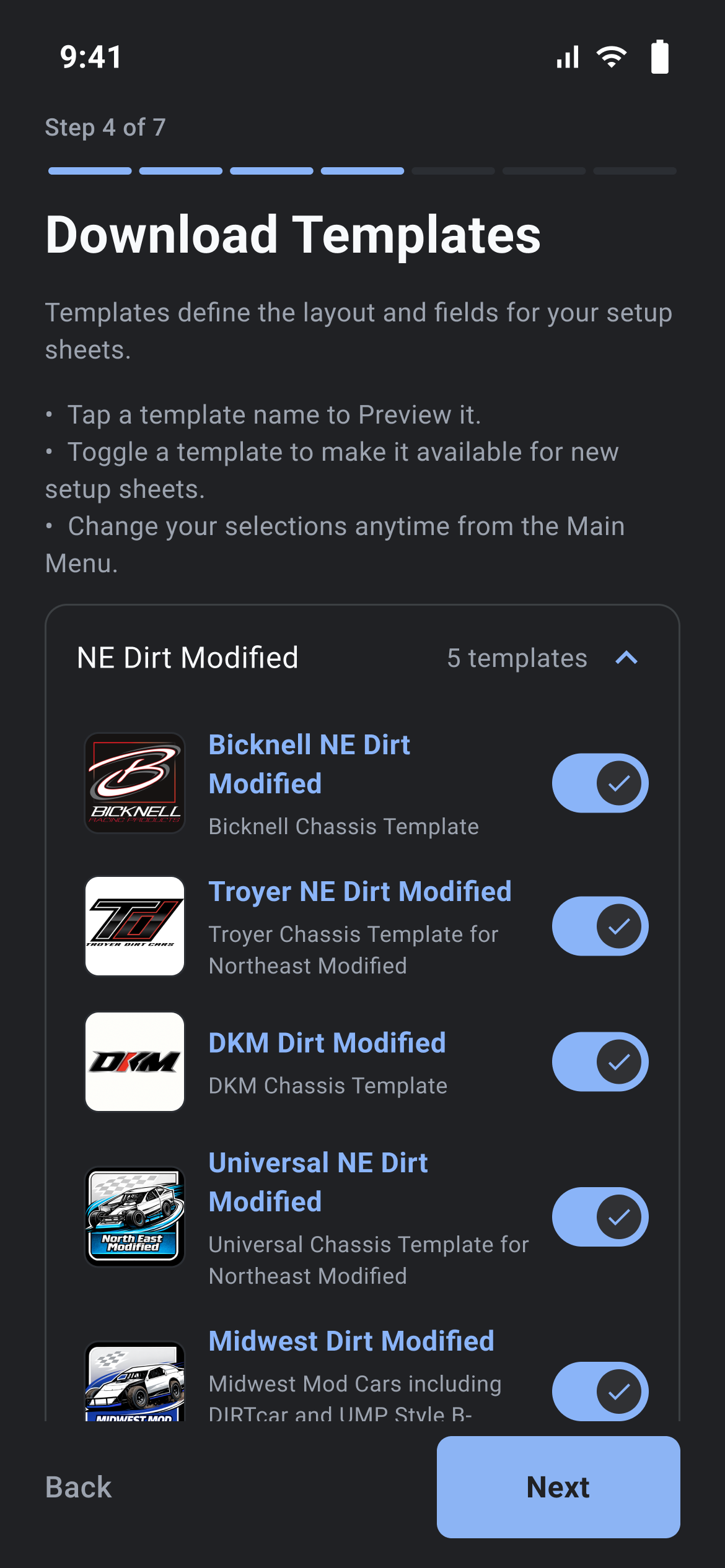
A seven-step wizard that collects your profile, your cars, templates, tracks and notes.
Each step has Next at the bottom right and, from step 2 on, Back at the bottom left. You cannot swipe between steps.
Step 1, Tell me about yourself
Tap the circle or Upload profile photo to pick a picture from your gallery. What's your email comes from your account and cannot be edited. What should we call you is required, and leaving it empty gives "Please enter your name". What's your phone number and Enter promo or invite code are optional. Next saves your profile to the server, so this step needs a signal.
Step 2, Set up your first car
This step holds the car form itself. Fill in Name your car and Select race class, then tap Next to save the car. The other boxes work the same as in step 3.
Step 3, Add additional cars
- Tap Add a new car.
- Fill in Name your car*.
- Tap Select race class*, search the list, then tap a class to pick it. Request a Race Class opens the RaceYear request page.
- Chassis manufacturer and Additional context are optional. The context box feeds the AI features, so year, engine, shock package, and chassis details help the AI Crew Chief give tailored recommendations.
- Add car photo (optional) offers camera or gallery.
- Tap Save, or Cancel to throw the car away.
The pencil icon reopens the sheet as Edit car. The trash can icon opens a Delete Car panel reading "Are you sure you want to delete ...?" and "This action cannot be undone.", with Cancel and Delete.
Step 4, Download templates
Templates are grouped under the race class of each car you added, and a bar across the top shows the download still running. Tap a name to preview it, read only, with a "TEMPLATE PREVIEW" banner and nothing kept. Flip the toggle to make a template available when you create a sheet. Preview-only templates put up a "Sneak Peak" panel and cannot be switched on. Request a Template under the list opens the RaceYear request page. If nothing has downloaded the page reads "No templates available" and "Please check your internet connection and try again".
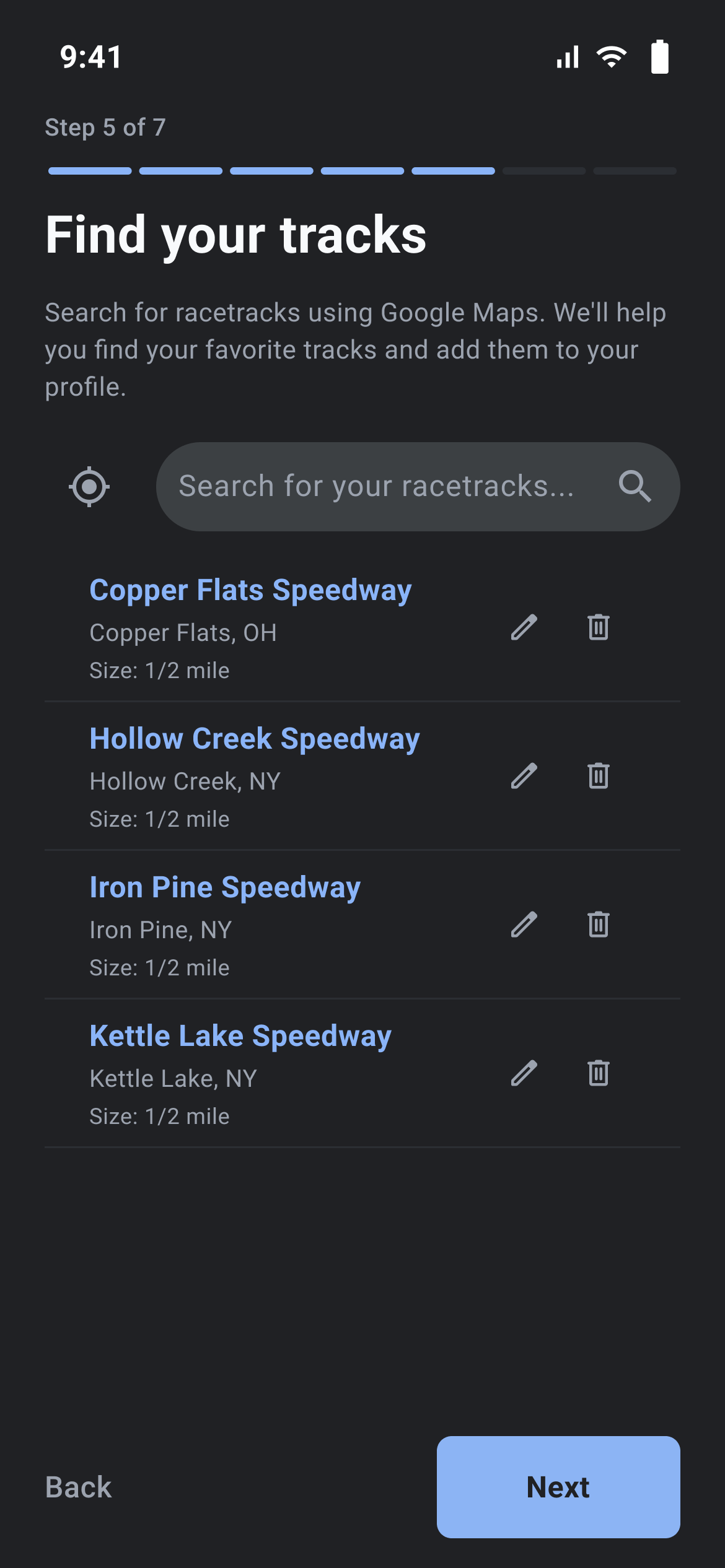
Step 5, Find your tracks
Tap Search for your racetracks... and type a track name, or tap the location icon for a nearby search. Tap a result to add it, which opens Add Track to check the details, and Add Track Manually opens the same sheet empty. Track Name* is required, and Track Address and Track Size are optional. Track Size is a wheel of fixed values from 1/10 to 2.66, shown in Miles, starting at 1/4. Tap Done, then Save, or Cancel to throw the track away. The trash can icon on a track deletes it immediately with no confirmation.
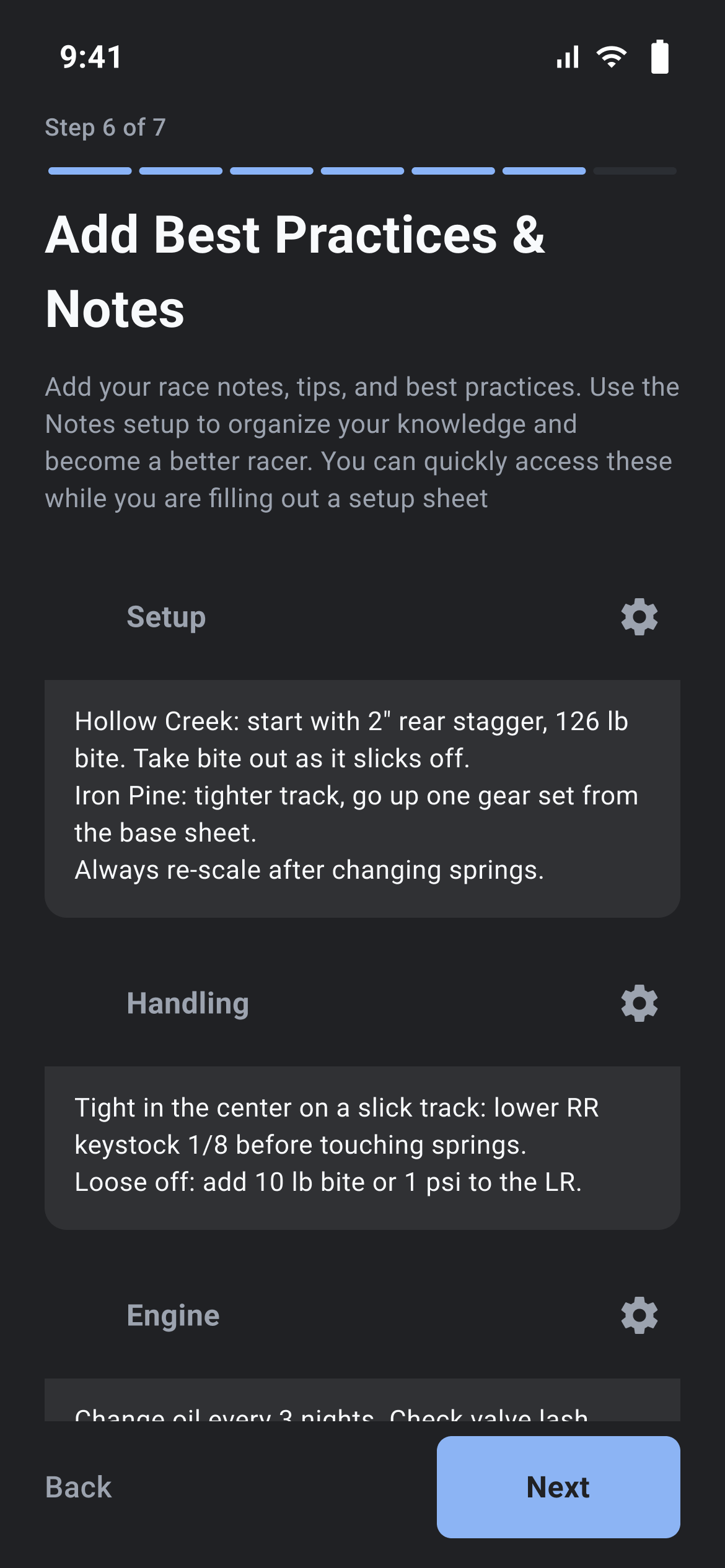
Step 6, Add Best Practices & Notes
The wizard creates one My Notes sheet for your own tips and shows its first category here. Fields save when you tap out of them, and a camera button appears on the categories that hold photos.
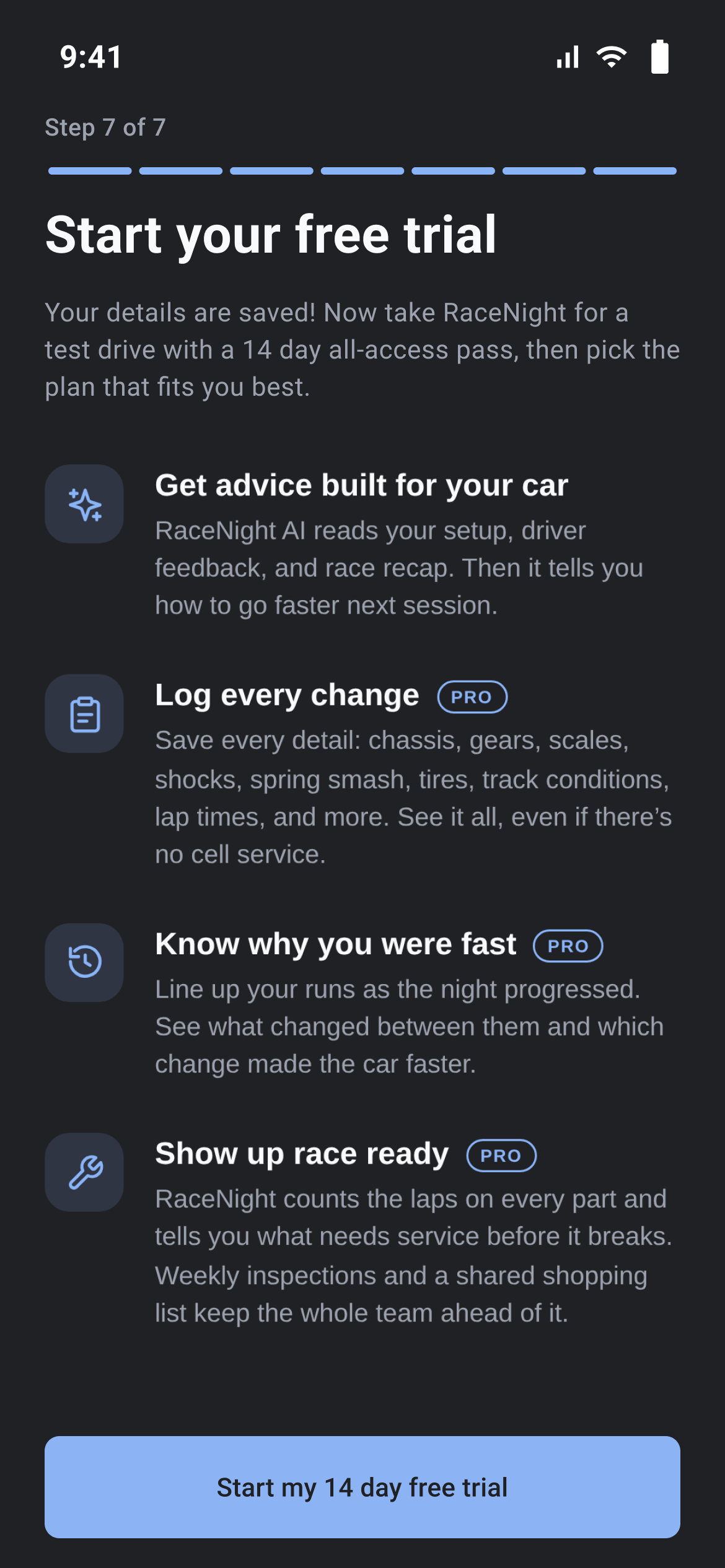
Step 7, Start your free trial or Congrats!
One button. If a free trial is already running on your account, it reads Start my {N} day free trial and the screen is titled Start your free trial. Otherwise it reads Let's Go under the title Congrats! Either way it only finishes the wizard and drops you on the Setups tab. It does not buy anything, and a trial named on the button was already on your account.
What you end up with, and running it again
You get your profile, cars, the race classes taken from those cars, the templates you switched on, your tracks and a My Notes sheet. No setup sheet is created, so make your first one from the Setups tab. The wizard runs once, and closing it with the X counts as finishing it, but nothing is lost: the same lists live in the menu under Cars, Tracks, Templates, Best Practices and Profile.
Navigating the app
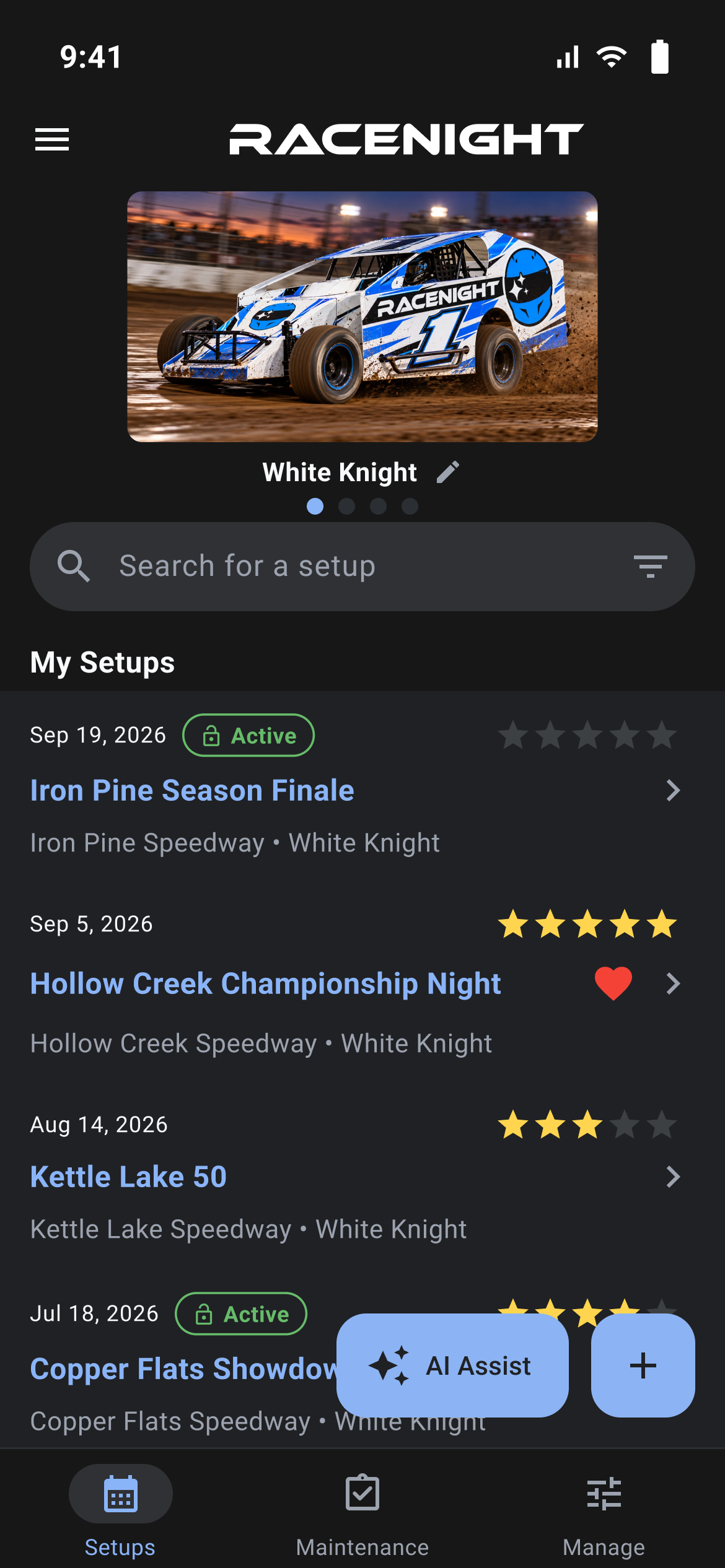
Where in the app: Anywhere in the app
Everything is reached from the three tabs along the bottom and the menu behind the icon in the top left.
The bottom bar
| Tab | What it opens | Plan |
|---|---|---|
| Setups | Your setup sheets, car carousel, and historical logbook. The app starts here. | [RaceNight Pro] (AI Assist works on both plans) |
| Maintenance | Integrated RacePrep maintenance tracking: part usage, shop to-do list, weekly bolt-check inspections, shopping list and parts library. | [RaceNight Pro] |
| Manage | Central management hub: Templates, Baselines, Best Practices, Cars, Tracks, Tags, Profile, and Subscription. | Templates, Baselines, Tracks and Tags: [RaceNight Pro]. Best Practices, Cars, Profile and Subscription: every plan. |
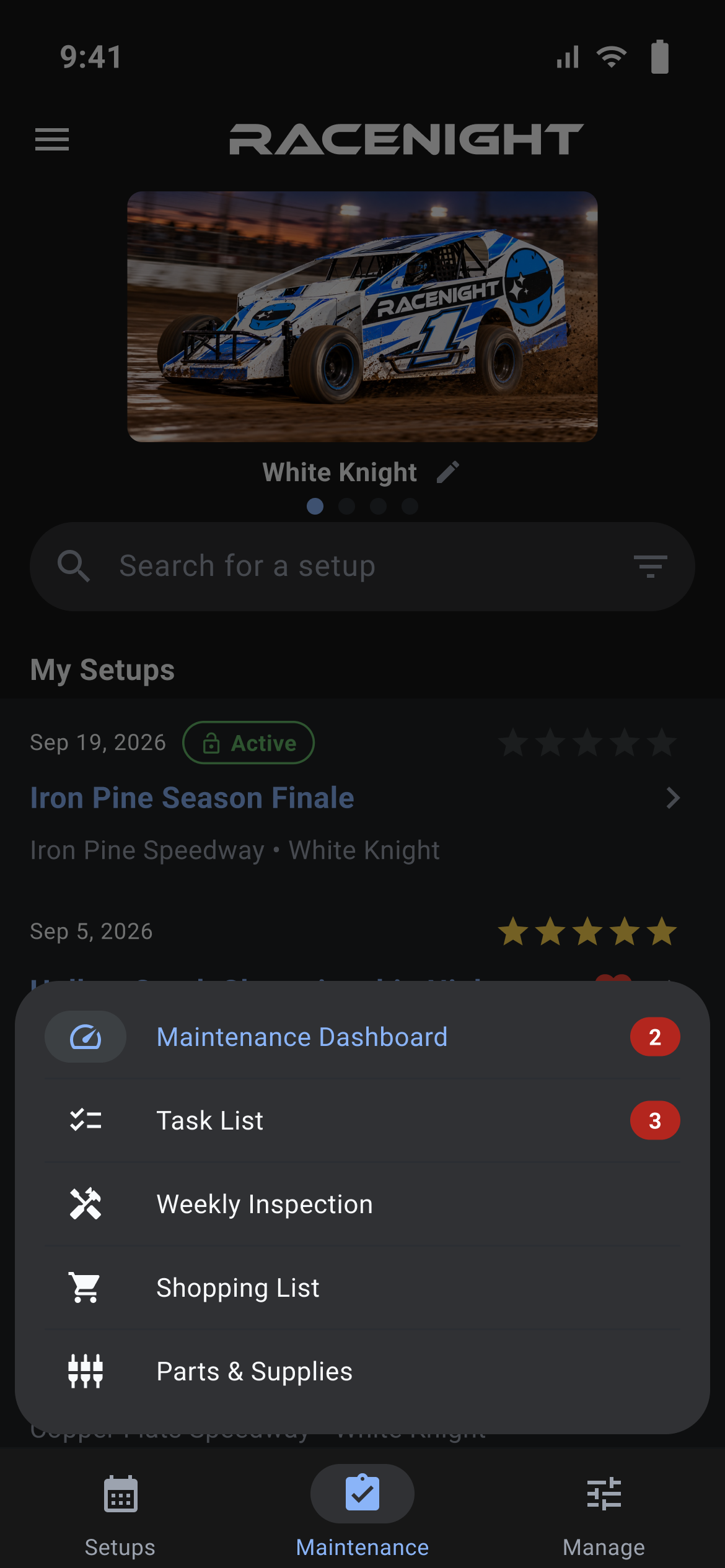
Each tab keeps its place, so switching away and back lands you where you were. Manage is the exception: tapping it while you are already on it closes whatever page is open and returns to the tile list. Maintenance opens a menu card with Maintenance Dashboard, Task List, Weekly Inspection, Shopping List and Parts & Supplies. It works whatever your car filter holds.
The side menu
Tap the menu icon top left, or swipe in from the left edge. From the top:
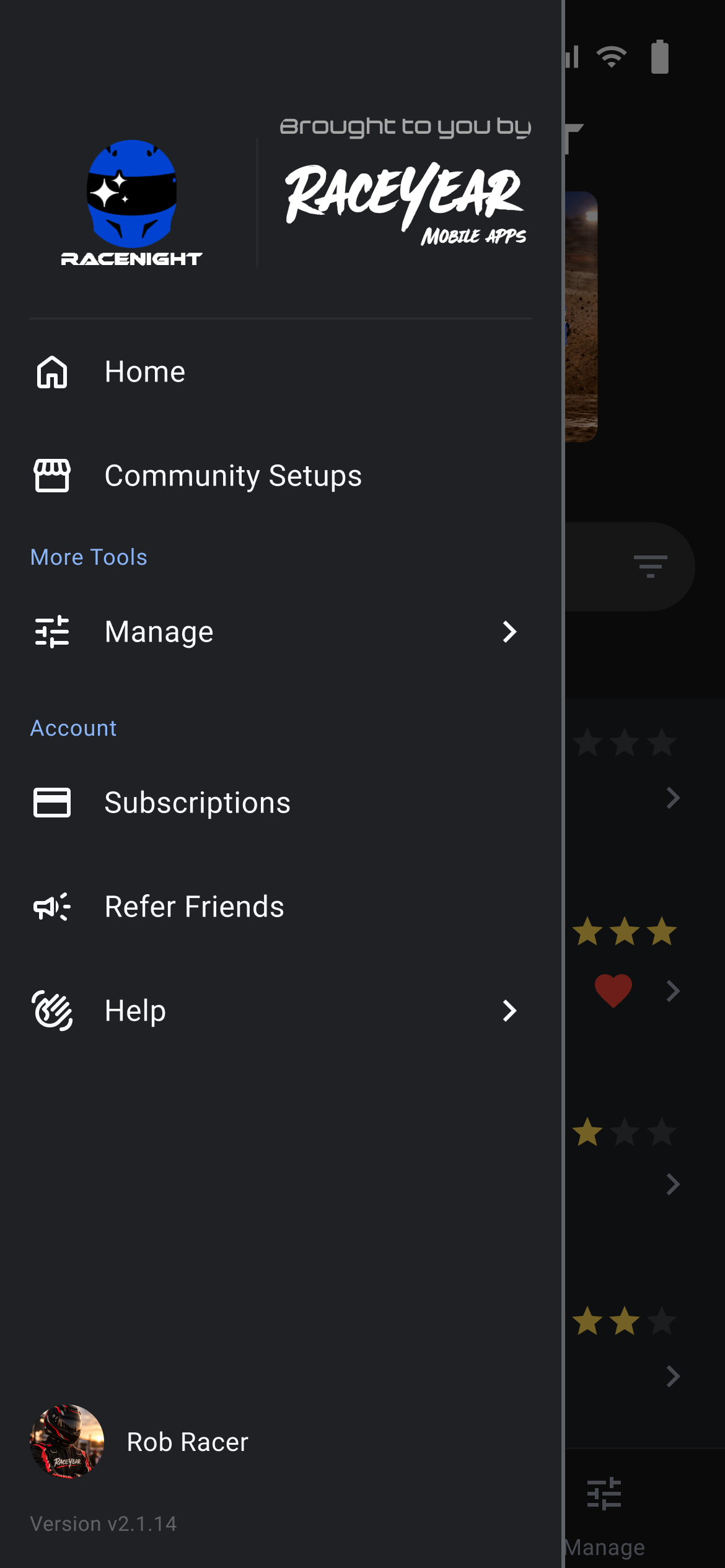
- The RaceNight logo, and either the RaceYear image or a sponsor logo sent with your account.
- Home, which goes to the Setups tab.
- Community Setups [RaceNight Pro], setups shared by other racers. Needs a signal.
- More Tools, then Manage, which slides in a second level:
- Cars, Best Practices, Templates [RaceNight Pro], Baselines [RaceNight Pro], My Shared Setups [RaceNight Pro], Team & Crew [RaceNight Pro], Lap History [RaceNight Pro]
- Tracks [RaceNight Pro], Tags [RaceNight Pro]
- Account, then:
- Subscriptions
- Refer Friends, which opens a page inside the app
- Help, which slides in Get Help: Contact RaceNight, Template Feedback, Tutorial Videos and User Guide, each opening a RaceYear page in your browser
- Your photo and name, which opens Profile, where the theme switch and sign-out live
- The version line at the very bottom, such as "Version v2.1.14"
The back arrow at the top of a second level returns to the main list, and the menu always reopens on the main list.
The Manage tab
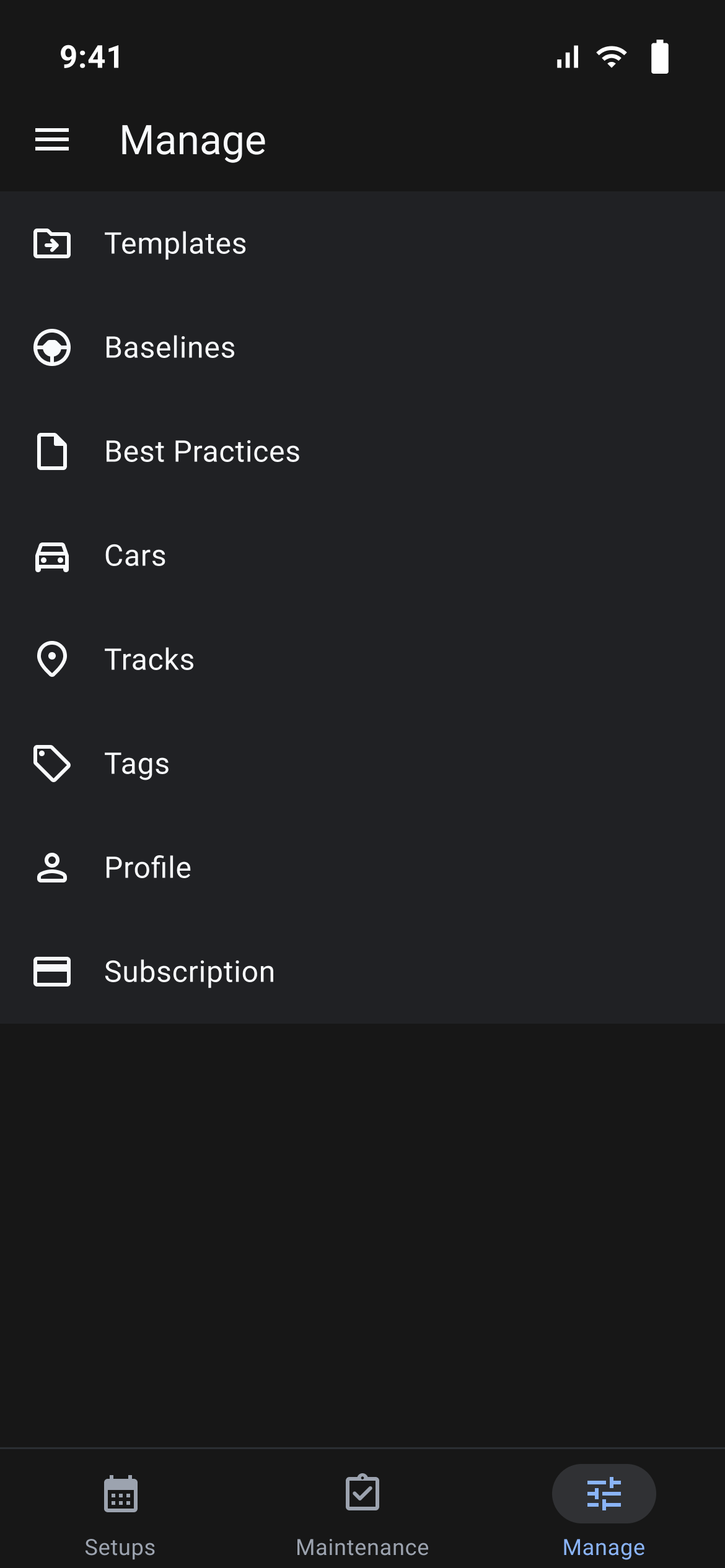
Tiles for Templates [RaceNight Pro], Baselines [RaceNight Pro], Best Practices, Cars, Tracks [RaceNight Pro], Tags [RaceNight Pro], Profile and Subscription. Anything opened from here or from the menu opens inside this tab, so the bottom bar stays put. My Shared Setups, Team & Crew and Lap History are in the side menu only.
Controls you see everywhere
- The menu icon, top left.
- The house icon on Manage pages, which returns you to the Setups tab.
- The Android back button, which closes an open Manage page and returns to the Manage list.
- A thin progress bar under the title bar that runs while the app is syncing, backing up or restoring. It does not say what it is doing.
Panels that appear on their own
- You're in Offline Mode, when a request cannot get through. I understand closes it.
- No internet connection, a short message when the signal drops, at most once an hour.
- New Update Available!, with Get Update Now, which opens the store, and Maybe Later, which holds it off until you restart the app.
- Data Updated, a short message with the time, after the app picks up new templates or other server data in the background.
- Verify your email, after you sign in, until you tap the link in the email we sent.
- Updating your setups…, a one-time screen after the 2.1 update. It needs a connection. Tap Retry if it fails.
Your free trial and plans
Where in the app: Side menu → Subscriptions, or Manage tab → Subscription
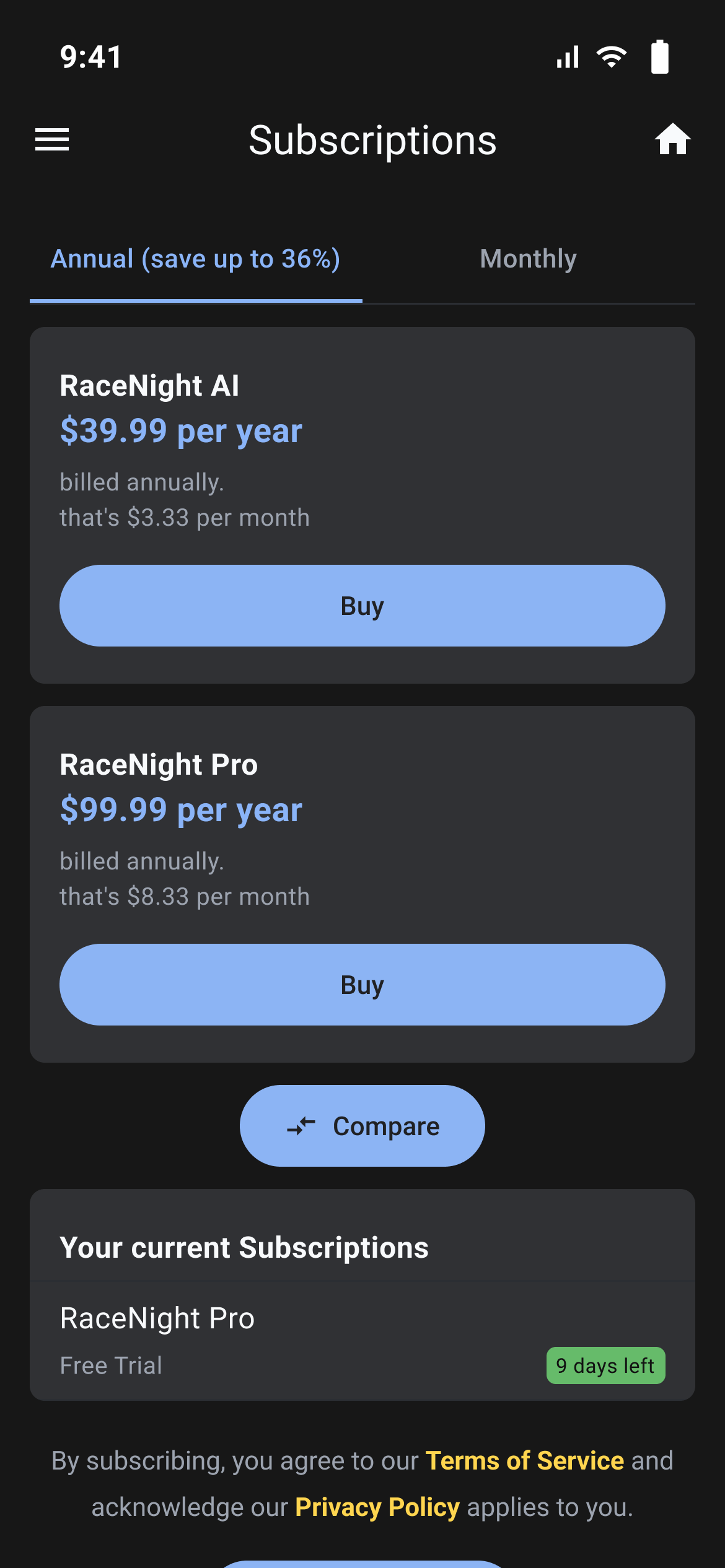
This screen shows the plans on offer, what you are on now, and the button to restore a purchase you already made.
The page is titled Subscriptions. The heading over the plans comes from RaceYear and changes with what is on offer.
How the trial works
A free trial sits on your account as a plan of its own. If a free plan is on offer here, its card carries a Start a free trial button that starts it without going through the app store. The length is set by RaceYear, not fixed in the app, and you see it in three places:
- The last button in the setup wizard, as "Start my {N} day free trial".
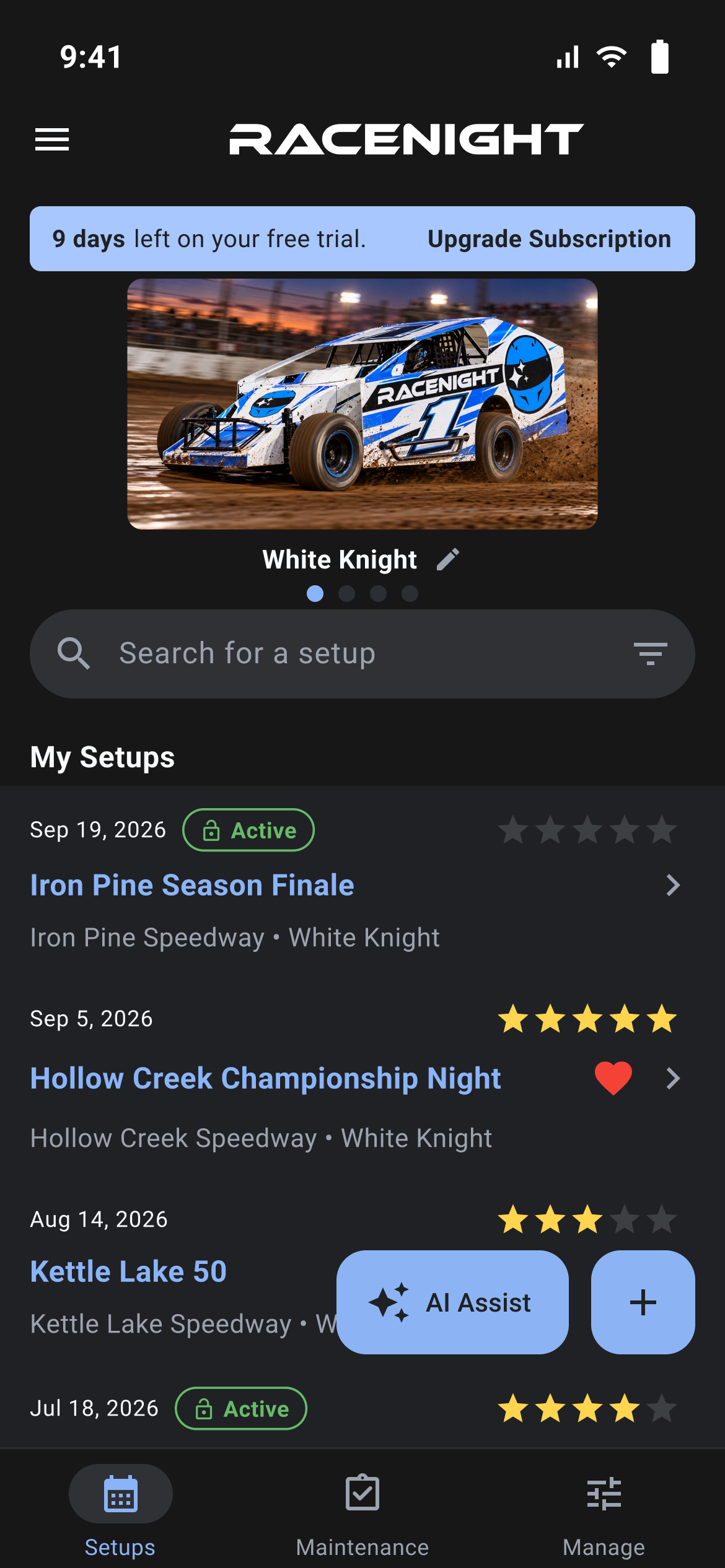
- The strip across the top of the Setups tab.
- The colored tag beside the plan under Your current Subscriptions, reading "Forever", "LAST DAY", "1 day left" or "{N} days left". The same tag reads "Expired" once a trial is past its end, and on other plans "PENDING", "CANCELLED / EXPIRED" or "ACTIVE".
The trial panel on the Setups tab
While every plan on your account is a free one, a colored strip sits above your setup list:
| When | What it says |
|---|---|
| Days still left | "{N} days left on your free trial." |
| One day left | "1 day left on your free trial." |
| Final day | "Last day of your free trial." |
| No day count sent | "You are on a FREE TRIAL." |
| Past the end | "Your trial has ENDED." |
| Canceled | "Your trial was CANCELLED." |
The right side always says Upgrade Subscription, and tapping anywhere on the strip opens this screen. It disappears as soon as you hold a paid plan, and also when your free plan is the never-ending kind that shows "Forever".
Buying a plan
- Pick a tab. The tabs and plans come from RaceYear, so what you see depends on what is on offer.
- Read the cards. Each shows the plan name, the price, whether it is "billed annually." or "billed monthly.", and the price for the other period.
- When RaceYear has supplied a comparison, Compare appears under the plans and opens it. The X closes it.
- Tap the buy button and finish in your phone's own purchase panel.
- On success a panel reads "You're all set!". Tap Get Started.
If the store cannot be reached you get a Store issue panel with the reason, such as "This subscription is not available in your region or store." or "The App Store / Play Store is not currently available." Restore Purchases at the bottom re-links a subscription you already paid for. It asks first, noting "You will not be charged.", with Cancel and Restore.
For what each plan includes, and what happens when the trial ends, see Subscriptions and purchases.